Play in Browser
Wave Dash
New Games
Browse the latest games, open a card to play, and find a new challenge for your next quick session.
 New
Space Waves Halloween
Use precise movement, read the next gap, and survive the most awkward spike patterns with this practical guide to Space Waves Halloween.
View Game New
Undead Invasion
Learn how the orphanage base, Defense Mode, Playground Mode, weapons, traps, and resource choices fit together in this practical Undead Invasion survival guide.
View Game
New
Wave Dash
Master the hold-and-release rhythm, collect coins without forcing risky turns, and use the Level Editor and Community Levels to get more from every Wave Dash run.
View GameAbout Wave Dash
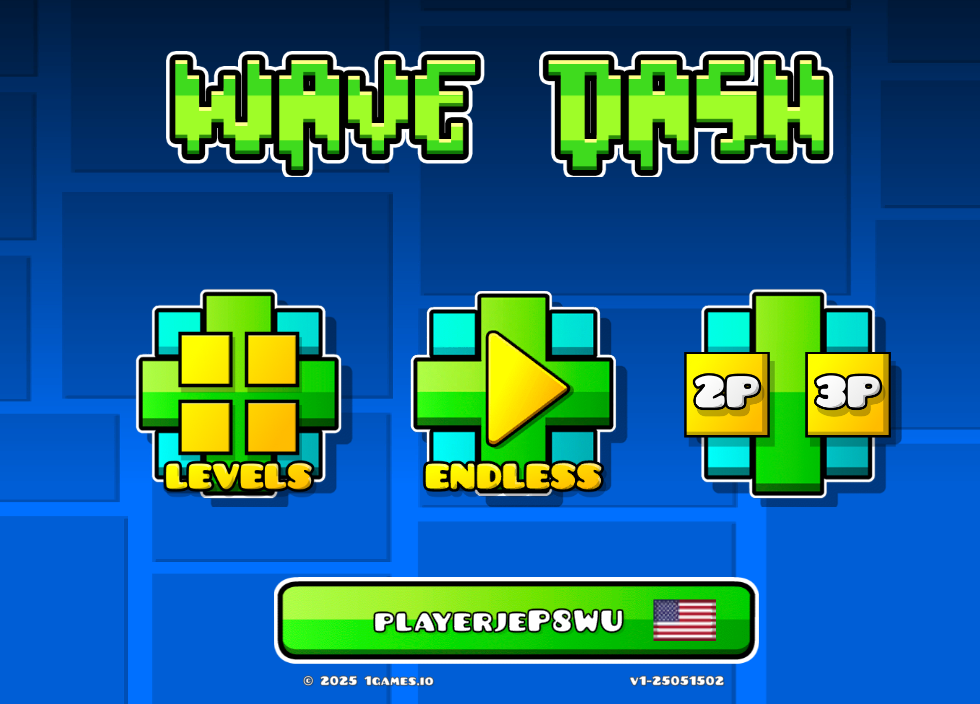
Wave Dash is a compact arcade game built around a single decision: hold to send the wave upward and release to make it fall. The control scheme is easy to understand, but the changing tunnels demand a steady hand and a good sense of timing. Your goal is to reach the finish without scraping a wall or losing control in a narrow passage.
The challenge comes from looking a little farther ahead than your current position. A turn that seems safe now can leave the wave too high for the next corner, so successful runs use short inputs and calm corrections rather than frantic tapping.
The wave’s height is your main resource. A long hold gives you room to rise, but it also creates a larger correction when the ceiling drops; a short release can be enough to line up a shallow opening. Thinking in terms of height and distance makes the one-button system feel predictable instead of random.
How to Play Wave Dash
Start a level by watching the shape of the route before you commit to a long hold. Press and keep the mouse button down when the wave needs to climb. Release it as the next opening approaches so gravity-like motion carries the wave back down and into the corridor.
Do not wait until the wave is touching a wall to change direction. A brief release or a controlled hold gives you time to line up the next gap. When you crash, remember the point where your height became difficult to fix; the next attempt should change that one timing decision instead of the whole route.
When a course begins, divide it into small landmarks: the first turn, the narrowest corridor, and the finish approach. Use the first landmark to establish your rhythm, then make a deliberate adjustment before the narrow section. This turns a long level into a sequence of readable choices and gives each retry a clear purpose.
Controls
- Hold the mouse button: the wave moves upward through the tunnel.
- Release the mouse button: the wave switches direction and moves downward.
- Use one-button rhythm: alternate between short holds and releases to make small adjustments near sharp angles.
There is no separate steering menu to memorize. Once the hold and release pattern feels natural, your attention can stay on the tunnel geometry and the safest line through the next obstacle.
Features of Wave Dash Game
- One-button movement: a simple input creates a demanding timing game that is quick to start and difficult to perfect.
- Progressive tunnels: sharper angles, narrow corridors, and hazardous layouts make later stages less forgiving.
- Coins and skins: collect coins on safer lines and use them to unlock new colors and visual styles.
- Level Editor: build and test your own paths, then share the challenge instead of playing only the default courses.
- Community Levels: player-made maps add fresh patterns and keep practice useful after you learn the main set of tunnels.
The best coin route is not always the straightest route. First learn the line that reaches the finish, then compare the collectible’s position with the next obstacle. If picking it up forces a sudden reversal, leave it until your movement is stable; skins are useful rewards, but they should not replace learning the tunnel.
Advice for Novices
Keep your first practice runs slow and rhythmic. Hold for a short count, release for a short count, and adjust the length only after you can predict where the wave will be at the next corner. Consistency gives you more control than a last-second reaction.
Watch the route ahead instead of staring at the wave itself. If a coin sits beside a dangerous wall, leave it for a later attempt; reaching the finish teaches you more than a risky collectible. Once the easier tunnels feel comfortable, create a small course in the Level Editor and use it to practice one awkward movement repeatedly.
A useful practice routine is to repeat one section until you can predict the wave’s position before you release. If you keep overcorrecting, shorten both inputs rather than adding speed. After the timing feels steady, try a Community Level with a similar shape; unfamiliar maps test whether you learned the movement or only memorized one course.
On a longer run, keep the same calm rhythm after a successful turn. A safe passage is not a reason to rush the next input; it is the moment to reset your attention and read the next corridor.
Players who want a darker reaction challenge can switch to Space Waves Halloween. If you prefer planning defenses between bursts of action, Undead Invasion changes the rhythm completely.
FAQs
How does the wave move?
Holding the mouse button moves it upward. Releasing the button flips the movement downward, so the full control system is based on timing those two states.
Should I collect every coin?
No. Coins can help unlock skins, but a risky line can cost the entire run. Learn the level first, then collect a coin when you can reach it without sacrificing a stable approach to the next gap.
What are Community Levels?
They are custom maps made by players. They extend the game beyond the standard courses and give you new tunnel shapes to study, practice, and share.
Discuss Wave Dash